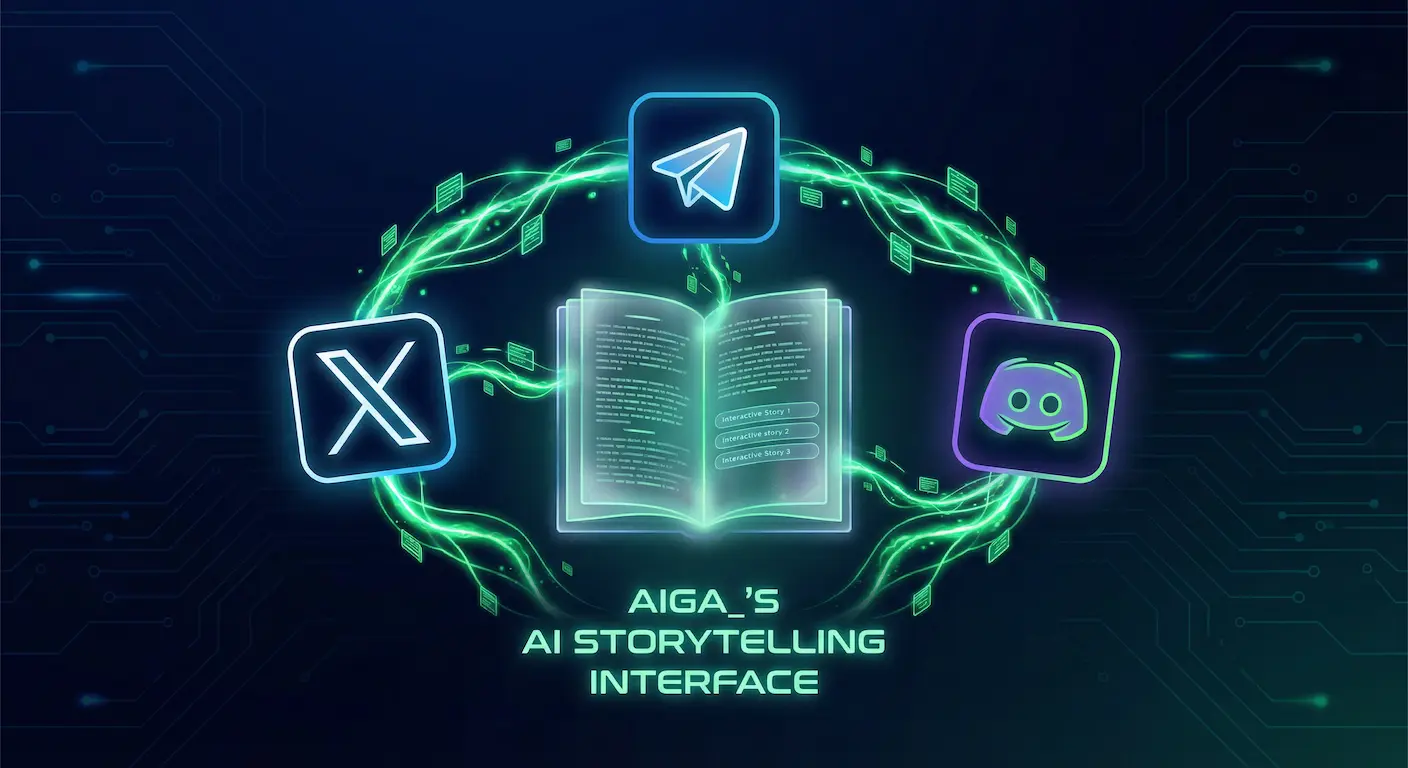
The best stories need an audience. And the easiest way to find one is to go where people already spend their time. aiga_ connects natively with Discord, X (Twitter), and Telegram, so you can run full AI-powered story games directly inside the apps your community is already using every day.
If you are mainly looking for AI chat games and AI RP chat in a full play session, start there. For Discord as a destination, see the Discord landing page too.
And these aren't simple notification bots. Each connection turns a social channel into a live game session with AI-generated scenes, interactive voting on story choices, real-time stat tracking, and multiplayer where everyone shapes the narrative together. Nobody has to download anything or leave their favorite app.
Discord: Turn Your Server Into a Game
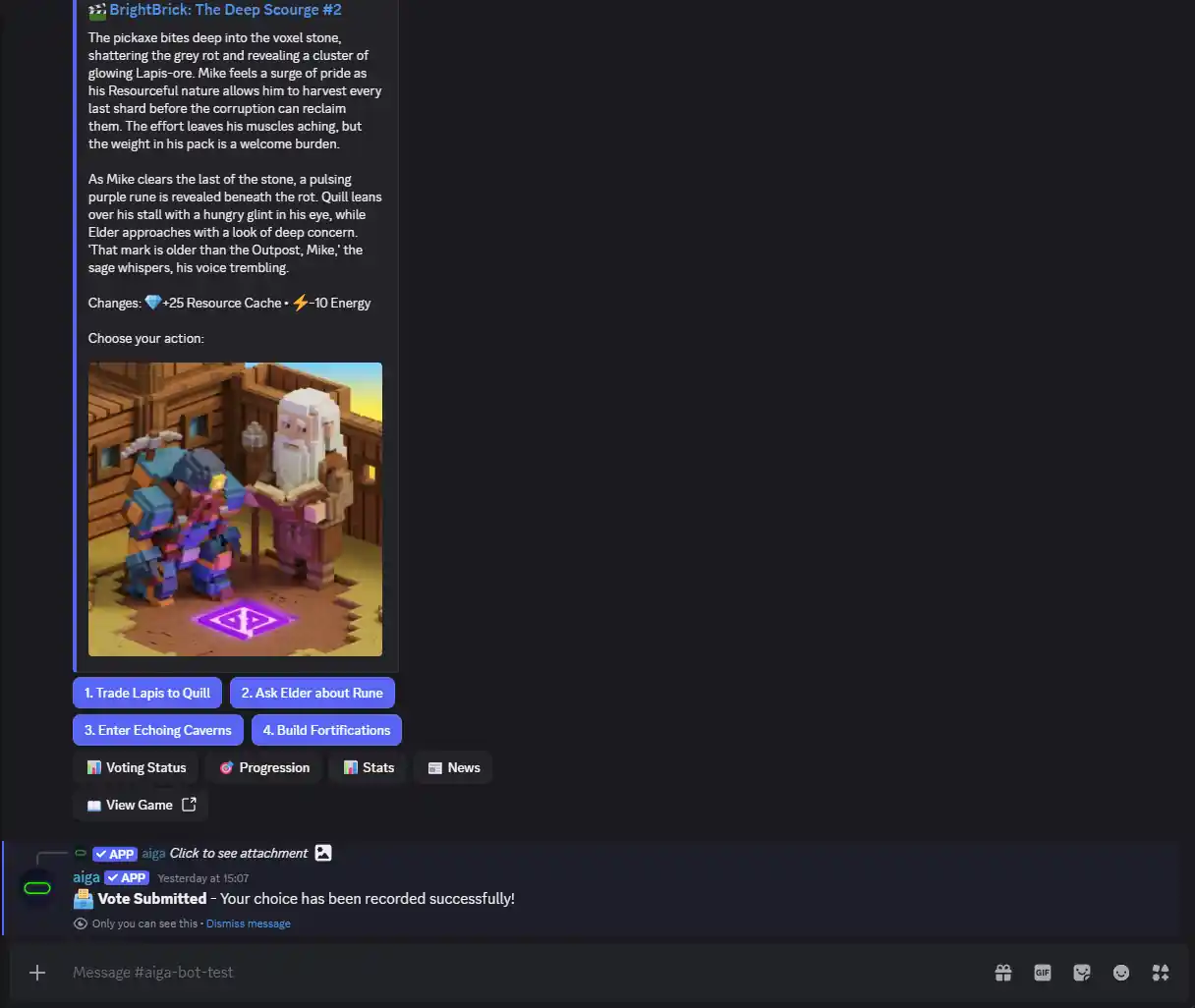
Discord is where gaming communities live, so this one felt like a no-brainer. The aiga_ bot uses slash commands and rich embeds to turn any text channel into an interactive AI game session. Story events show up as embedded messages with AI-generated artwork, and decision points include voting buttons that anyone in the server can tap. It's a great way to turn a quiet server into something people actually come back to.
What You Can Do
- Use
/gamesto browse available worlds and start sessions, or/setupto configure the bot on your server. - Every game event renders as a Discord embed with the narrative text, AI scene art, and voting buttons all in one message.
- Server members vote on decisions by tapping buttons. The bot confirms votes instantly and updates totals in real time.
- Admins can browse worlds, create sessions, pause games, and tweak settings without ever leaving Discord.
- Players can opt into private DMs with their personal dashboard: story news, character stats, campaign objectives, and vote tallies, all without cluttering the server channel.
- When voting ends (by timer or max votes), the game automatically advances, generates the next scene, and posts it. No babysitting required.
Setup
- Generate a connection key in the Connections dashboard.
- Add the aiga_ bot to your server using the invite link in the dashboard.
- Run
/setupin any channel with your connection key. - Use
/gamesto pick a world and start playing.
X (Twitter): Stories on Your Timeline
The X connection turns your timeline into a storytelling stage. Every scene your game generates, complete with AI illustrations, gets automatically posted to your account. When a decision point comes up, aiga_ creates a native X poll in a reply so followers can vote right from their feed. Once the poll closes, the winning choice locks in, the story moves forward, and the next scene goes live. The whole loop runs on autopilot.
What You Can Do
- Every game event gets published to your timeline with its AI-generated illustration. Zero manual posting.
- Decision points become native X polls. Followers vote using X's built-in poll UI, and aiga_ reads the results automatically.
- Connect multiple X accounts for different brands, products, or story themes and manage them from one dashboard.
- Build narrative campaigns where your audience is an active participant in the story, not just a passive scroller.
- Once a poll closes, aiga_ resolves the vote, advances the game, generates the next scene, and posts it. Hands-free from start to finish.
Setup
- Connect your X account in the Connections dashboard using your X Developer App credentials (Client ID and Secret).
- Create a game world and start a session with X as the platform. Pick which connected account to use.
- aiga_ handles the rest: posting scenes, creating polls, reading results, and advancing the story.
Heads up: the X connection needs an active X Premium subscription because of API access limits on free and basic tier accounts.
Telegram: Group Chats That Play Games
The Telegram connection brings the full aiga_ experience into any group chat. A dedicated bot handles everything: browsing worlds, launching sessions, posting story events with images, and collecting votes through inline keyboard buttons. Group members tap a button to vote, the story moves forward, and it all happens right inside the conversation.
What You Can Do
- Use
/gamesto browse worlds,/sessionsto manage active games,/votingfor voting settings, and/configureto set up the group. - Story events post with AI artwork and inline voting buttons. Players tap to vote and the bot updates counts live.
- New events, vote results, and stat changes show up instantly. Messages get auto-pinned for easy reference.
- Pick between "full" story mode (detailed narratives) or "short" mode (TLDR summaries), depending on how your group likes to play.
- Info buttons let players check voting status, view progression summaries, inspect character stats, and catch up on story news without cluttering the chat.
- A "View Full Game Book" button links to the web game page for anyone who wants the full illustrated experience.
Setup
- Generate a connection key in the Connections dashboard.
- Add @aiga_io_bot to your Telegram group.
- DM the bot your connection key using
/setkey. - Group admins can now use
/gamesto start playing.
Same Voting Engine, Every Platform
Under the hood, all three connections share the same voting system. A vote from an X poll, a Telegram button, a Discord button, or the web interface all flow into the same engine. This means consistent behavior everywhere:
- Time-based voting. Set a duration in minutes and aiga_ enforces it across all platforms. When time runs out, the leading choice wins.
- Max vote thresholds. For Telegram, Discord, and web sessions, you can set a max vote count. Hit the threshold and the game advances immediately.
- Automatic progression. No manual intervention. The game generates the next scene, posts it, and opens a new vote round. All automatic.
- Race condition protection. Every vote and progression trigger is guarded against duplicate processing. Even hundreds of simultaneous votes won't break anything.
Quick Comparison
| Capability | Discord | X (Twitter) | Telegram |
|---|---|---|---|
| Voting Method | Message buttons | Native X polls | Inline buttons |
| AI Scene Images | Yes (embeds) | Yes | Yes |
| Automated Posting | Fully automatic | Fully automatic | Fully automatic |
| Bot Commands | /games, /setup | N/A | /games, /sessions, /voting |
| Session Management | In-chat + web | Web only | In-chat + web |
| Private DMs | Yes | No | Yes |
| Multi-Account | One key per org | Yes | One key per org |
| Voting Limits | Time + max votes | Time-based only | Time + max votes |
| Setup Complexity | Bot invite + key | Developer app required | Bot invite + key |
| Best For | Gaming servers & communities | Public reach & brands | Private groups & communities |
Who Actually Uses This?
More people than you'd think:
- Brands and marketers run narrative campaigns on X where followers vote on the brand's story. Every poll is organic reach, every scene is shareable content.
- Game masters and TTRPG groups host AI-powered RPG campaigns in their Telegram or Discord. The bot handles narrative, art, and mechanics. Players just vote and enjoy.
- Community builders use it to give their server or group a shared activity that keeps people coming back. Community-driven stories create real engagement.
- Educators build interactive scenarios where a class makes decisions together. History, ethics, science: any subject works.
- Content creators get a stream of unique, illustrated posts generated automatically. Every game event is a ready-made piece of content.
Getting Started
Setting up a connection takes a few minutes. Head to the Connections page in your aiga_ dashboard and pick Discord, Telegram, or X. Each one has a step-by-step guide built into the setup page.
Once you're connected, create a world (or grab one from the Shared Worlds library), start a session on your platform, and let the story take over.
Don't have an account yet? Sign up here and you can have a game running in your community tonight.